Replay
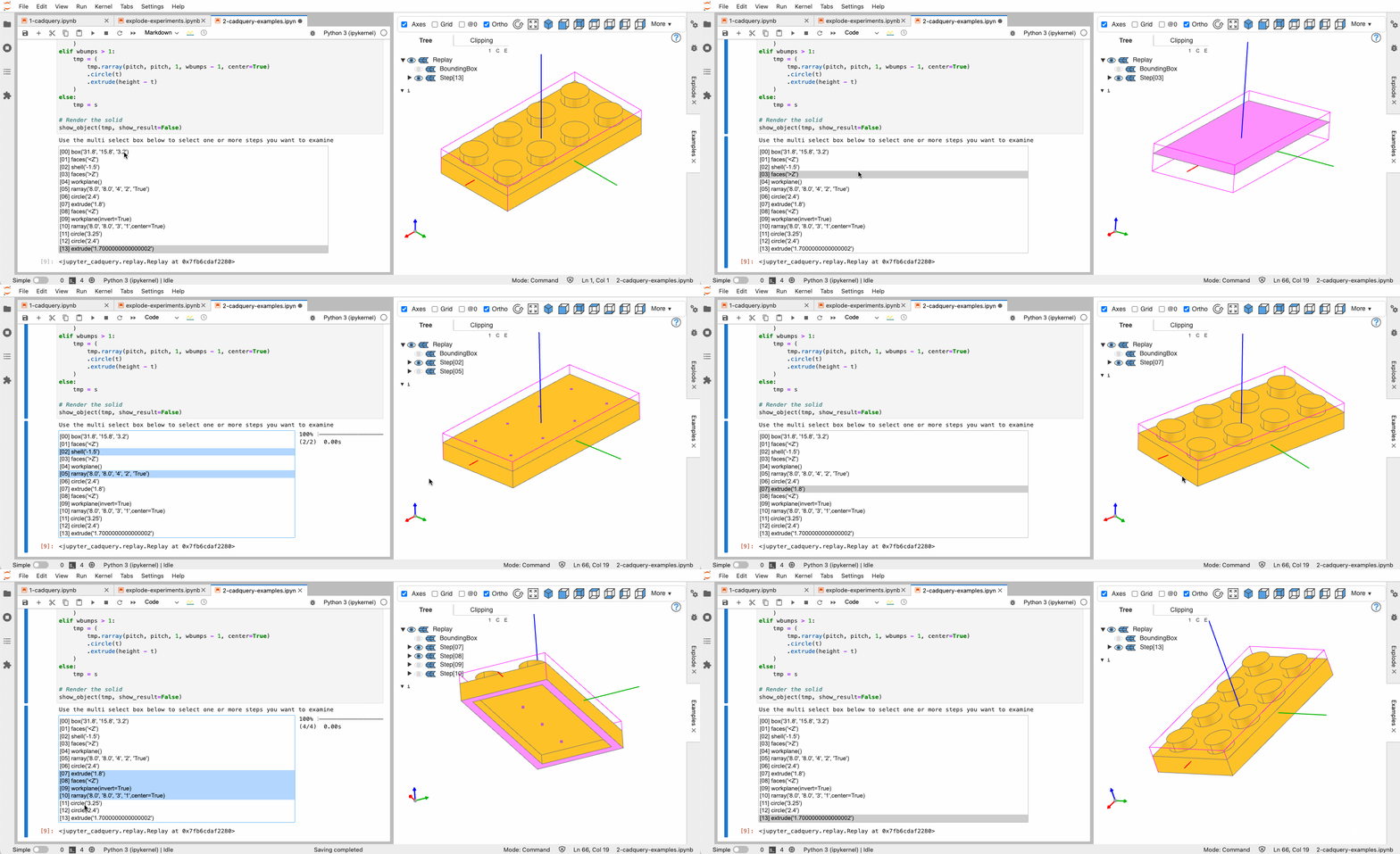
Replay shows how a CadQuery object came to be: every step of the fluent-API chain that built it, one after the other, with the result of each step drawn in the viewer. It is CadQuery only — build123d has no fluent stack to replay — and it is a notebook feature: the step selector is an ipywidget beside the viewer.
Enabling it
Replay records the calls as they happen, so it has to be switched on before the object is built:
from jupyter_cadquery.replay import enable_replay, disable_replay, replay

enable_replay()

box = cq.Workplane().box(10, 20, 30).edges(">Z").fillet(2).faces(">Y").hole(4)
replay(box)
enable_replay(show_bbox=True, show_result=False, warning=True, debug=False) — show_bbox draws the bounding box of the selected step's result, show_result draws the final object greyed out behind the step instead (one or the other; both falls back to the bounding box). warning=True registers a hook that resets the recording before every cell, so a chain recorded in one cell does not leak into the next.
disable_replay() restores CadQuery's classes. Replaying an object that was built before enable_replay() falls back to a plain show and says so.
Using it
replay(obj, index=-1, cad_width=800, height=600, deviation=0.1, angular_tolerance=0.2, edge_accuracy=None, sidecar=None, show_result=None, show_bbox=None) opens a cell viewer of the given size with a multi-select box listing the steps — index selects the initial one, counted from the end by default. Select one or several steps to see their results; deviation, angular_tolerance and edge_accuracy are the tessellation settings for the step results, show_result/show_bbox override what enable_replay chose, and sidecar= draws into a named sidecar instead of the cell.